
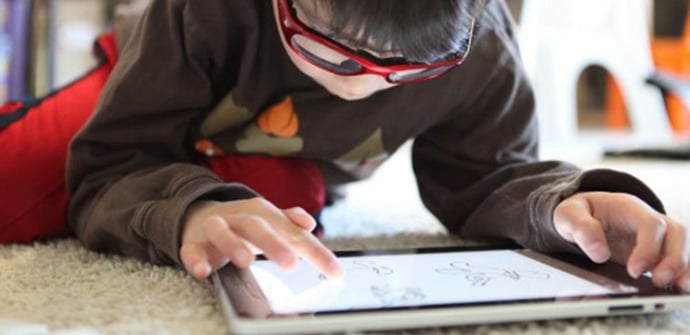
Tablets are always a perfect gift for little ones and a great companion for vacations, car trips, and countless other situations where we'll be glad to have a device on hand where they can enjoy their favorite cartoons and games. What are the best tablets for children that we can buy? What options do we have?
Classic children's tablets
The reality is that there is a fairly large market for children's tablets, with devices created from scratch for it. Logically, this seems the perfect solution: they are usually resistant devices, easy to handle, with integrated parental controls and with appropriate content already installed.

If you want to avoid complications, one of these could be the most suitable alternative. Keep in mind that some are specifically designed for children of different ages, and some are quite inexpensive, although if you decide to go this route, we recommend opting for the higher-end models, which are the ones that will give you more confidence: the Clan Tablet and the Paquito Mini . There are many more options, however, as you can see in this selection of tablets for children that we put together for Christmas, including some that have been gaining popularity lately, such as the Dragon Touch y88x.
Are tablets specifically designed for children worth it?
Now, if we have to decide whether or not it is worth buying a specific tablet for children, we have to say that, in our opinion, this is not the case. First of all, the idea that children don't need a particularly powerful device to launch equipment with really poor technical specifications is often abused. A child may not need a Quad HD display, but there is a limit below which apps simply won't perform well, and videos won't look smooth.

Secondly, while we might appreciate that they do all the work for us and save us from having to set up parental controls or find apps and games for them, we must bear in mind that they also usually come with significant limitations that barely allow us to deviate from what they offer. The most notable limitation is that they typically don't provide access to Google Play , and without it, we lose the option of downloading the content we want ourselves.
A better option: turn a cheap tablet into a tablet for children
Therefore, we recommend that if you're looking for a tablet for children, you simply get an inexpensive tablet and adapt it to their needs. As we recently saw, for less than 100 euros you can find tablets with similar or even better technical specifications than the top-of-the-line models, which cost 150 euros.

In fact, if you're willing to spend between €100 and €150 , you can buy them a good entry-level tablet. And, of course, if your own tablet is reaching the point where it could use an upgrade, you can always check out our selection of the best value tablets of 2017 to get a new one for yourselves and leave the old one for your child.

How to turn a normal tablet into a children's tablet? First step: the cover
The thing is, it might take a little work, but tablets specifically designed for children don't really do much that we can't do ourselves. It's simply a matter of making them safer, starting with giving them extra resistance to drops and a more comfortable grip with a case . If the child is going to inherit or share our iPad , it's especially easy because, being standard sizes, there are many options and almost any of them will work.

If you have an Android tablet, you have two options. The first is to look for a specific case for your chosen model , and don't worry, the most popular budget tablet models usually have many options for children, as is the case with the Fire 7. If there isn't a specific case for your tablet, don't worry, because there are several universal (or almost universal) cases, such as those from Wise Pet or COLJOY.

Step two: enter parental control
Of course, a tablet for children also needs to be secure from a software perspective, but this isn't difficult to achieve either. Starting with the Apple tablet, we just need to go to the settings menu and in the general section, go to restrictions , where we have all the basic options, as you can see in this tutorial for activating parental controls on iOS . It's possible, however, to introduce more specific usage limitations on the iPad (time limits, disabling touch controls in a certain area, etc.) if you're willing to experiment a bit.

We also have a detailed tutorial to help you adapt an Android tablet for a child, although in this case, most of the necessary adjustments aren't available in the standard menus. Instead, you'll need to use specific apps and launchers . There are many options available, so we recommend you also check out this other selection of parental control apps.

Finally: fill the tablet with your favorite games and videos
As you can see, the process is very simple, it does not have a too high cost and the best part is when we get to the final step, which is simply download the apps and games that you are going to enjoy and that is, instead of being Limited to the selection made by the manufacturer, we have at our disposal all the options of the App Store and Google Play.
Table of Contents
- 1 Classic children's tablets
- 2 Are tablets specifically designed for children worth it?
- 3 A better option: turn a cheap tablet into a tablet for children
- 4 How to turn a normal tablet into a children's tablet? First step: the cover
- 5 Step two: enter parental control
- 6 Finally: fill the tablet with your favorite games and videos